ADT Thermostat Manual: A Comprehensive Guide
This detailed manual expertly guides users through the installation, configuration, and troubleshooting of their ADT smart thermostat, ensuring optimal HVAC system performance and connectivity.
Welcome to the world of smart home comfort! The ADT Smart Thermostat, specifically the ADC-T2000 model, represents a significant leap forward in home climate control. This innovative device seamlessly integrates with your existing HVAC system, offering enhanced energy efficiency, convenient remote access, and personalized comfort settings.
Beyond basic temperature regulation, this thermostat empowers you to monitor and adjust your home’s climate from anywhere using a mobile app. Features like geofencing and programmable schedules further optimize energy usage, potentially lowering your utility bills. This guide will provide a comprehensive overview, covering everything from initial setup and Wi-Fi connection to advanced features and troubleshooting common issues. Prepare to unlock the full potential of your ADT Smart Thermostat!
Understanding the ADC-T2000 Model
The ADC-T2000 is a wirelessly controlled digital thermostat designed for seamless integration with ADT’s smart home security platform and Alarm.com. It boasts a user-friendly interface, allowing for intuitive control of your home’s heating and cooling systems. This model offers compatibility with a wide range of HVAC equipment, including conventional and heat pump systems.
Key features include remote access via a mobile app, customizable scheduling, and geofencing capabilities. The thermostat’s display provides clear temperature readings and system status information. Installation requires basic wiring knowledge, and the included documentation offers step-by-step guidance. Understanding these core functionalities will empower you to maximize the benefits of your ADC-T2000 thermostat and enjoy a more comfortable and efficient home environment.
What’s in the Box: Contents Checklist
Upon opening your ADC-T2000 package, carefully verify the inclusion of all listed components. You should find the ADT Smart Thermostat unit itself, along with a mounting baseplate for secure wall installation. Essential wiring labels are included to simplify the connection process, ensuring correct system integration.
The package also contains mounting screws and anchors suitable for various wall types. A quick start guide provides initial setup instructions, while a comprehensive user manual details all features and functionalities. Confirm the presence of these items before proceeding with installation. Missing components should be reported to ADT customer support immediately to ensure a smooth and successful setup experience. Proper inventory is crucial for a hassle-free installation.
Installation Process: Step-by-Step Instructions
Begin by carefully shutting off power to your HVAC system at the breaker box – safety is paramount! Next, remove your existing thermostat, labeling each wire as you disconnect it. Utilize the provided wiring labels for accurate identification. Mount the ADT thermostat baseplate to the wall, ensuring it’s level.
Connect the wires to the corresponding terminals on the baseplate, referencing the wiring diagram in the manual. Securely attach the thermostat unit to the baseplate. Restore power to your HVAC system. Follow the on-screen prompts to complete the initial setup, including Wi-Fi connection and system configuration. Thoroughly test heating and cooling functions to verify correct operation.
Choosing the Optimal Location for Your Thermostat
Select a central indoor location, away from direct sunlight, drafts, doorways, and heat-generating appliances. Avoid areas near windows, exterior walls with poor insulation, or where airflow is restricted. The ideal placement ensures accurate temperature readings, representing the average temperature of your home.
Mount the thermostat approximately 5 feet above the floor. Ensure the location allows for easy access for adjustments and visibility of the display. Avoid areas prone to rapid temperature fluctuations. Proper placement is crucial for efficient HVAC operation and accurate temperature control, maximizing comfort and energy savings. Consider the typical traffic patterns in your home when selecting the location.
Preparing the Wiring: Safety First!
Before commencing any wiring work, absolutely disconnect power to your HVAC system at the breaker box. This is a critical safety precaution to prevent electrical shock and potential damage to your equipment. Verify the power is off using a non-contact voltage tester.
Carefully remove the existing thermostat’s faceplate, noting the wire connections. Label each wire with its corresponding terminal designation before disconnecting. Photograph the wiring configuration for reference. If you are uncomfortable working with electrical wiring, consult a qualified HVAC technician. Incorrect wiring can damage your system or create a safety hazard. Always prioritize safety throughout the installation process.
Mounting the Thermostat Base
With the wiring prepared, position the thermostat baseplate on the wall where your old thermostat was located, ensuring it’s level. Use the provided screws and wall anchors if necessary, particularly if mounting to drywall. Mark the screw locations with a pencil, then drill pilot holes if needed.
Securely attach the baseplate to the wall, ensuring it’s firmly mounted and doesn’t wobble. A stable base is crucial for proper thermostat operation. Gently feed the wires through the opening in the baseplate. Double-check that the wires aren’t pinched or strained. Proper mounting ensures a clean installation and reliable performance.
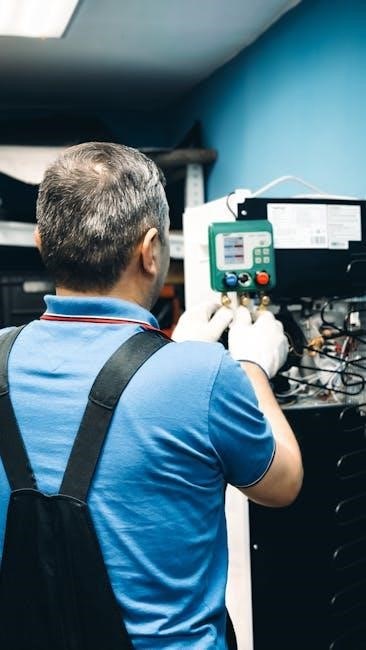
Connecting the Wires: A Detailed Guide
Carefully match each wire to the corresponding terminal on the thermostat base. Refer to your existing thermostat’s wiring configuration and the ADT thermostat wiring diagram – typically labeled with letters like R, C, W, Y, and G. Gently insert each wire into its designated terminal, ensuring a secure connection.
Avoid forcing the wires; a snug fit is sufficient. A loose connection can cause malfunctions. Once all wires are connected, gently tug on each one to confirm it’s firmly held in place. Double-check your wiring against the diagram before proceeding. Incorrect wiring can damage your HVAC system.
Thermostat Features Overview
The ADT Smart Thermostat boasts a suite of intelligent features designed for comfort and energy savings. Seamless Smart Home Integration Capabilities allow control via platforms like Alexa and Google Assistant. Remote Control via Mobile App provides access to your thermostat from anywhere with an internet connection, enabling adjustments on the go.
Geofencing Functionality Explained automatically adjusts temperatures based on your location, optimizing energy use when you’re away. Furthermore, enjoy precise control with advanced Scheduling and Programmable Settings, tailoring temperatures to your daily routine for maximum efficiency and personalized comfort.
Smart Home Integration Capabilities
ADT’s Smart Thermostat seamlessly integrates with popular smart home ecosystems, enhancing convenience and control. Compatibility extends to Amazon Alexa and Google Assistant, allowing voice commands for temperature adjustments and system control. This integration enables users to incorporate the thermostat into broader smart home routines, automating comfort based on time of day or other connected device states.
Beyond voice control, integration facilitates remote monitoring and adjustments through respective smart home apps. Users can create customized scenes and automation rules, linking the thermostat with other smart devices for a truly connected home experience, maximizing energy efficiency and personalized comfort.
Remote Control via Mobile App
The ADT mobile app provides comprehensive remote control of your T2000 thermostat, offering convenience and energy savings. Users can adjust temperature settings, switch between system modes (Heat, Cool, Auto, Off), and view current conditions from anywhere with an internet connection. This accessibility ensures optimal comfort, even when away from home, preventing energy waste.
The app also delivers real-time system status updates and alerts, notifying users of potential issues or unusual activity. Detailed energy usage reports are available, enabling informed decisions to optimize energy consumption and reduce utility bills. Secure access and control are prioritized, ensuring user data and system security.
Geofencing Functionality Explained
ADT’s geofencing feature leverages your smartphone’s location to automatically adjust the thermostat settings, maximizing comfort and energy efficiency. By defining a virtual perimeter around your home, the system detects when you enter or exit this zone. Upon departure, the thermostat can automatically switch to an energy-saving mode, reducing heating or cooling while you’re away.
Conversely, as you approach home, the system anticipates your arrival and restores your preferred temperature settings, ensuring a comfortable environment upon entry. This automated process eliminates the need for manual adjustments and optimizes energy usage based on your actual presence. Customizable settings allow users to define the geofence radius and preferred temperature adjustments.
Scheduling and Programmable Settings
The ADT thermostat offers robust scheduling capabilities, allowing users to create customized temperature programs tailored to their daily routines. You can establish different temperature settings for various times of the day and days of the week, optimizing comfort and minimizing energy consumption. These programmable settings enable automated adjustments, eliminating manual intervention and ensuring consistent climate control;
Users can define separate schedules for weekdays and weekends, accommodating varying lifestyles. The system supports multiple scheduling periods per day, providing granular control over temperature adjustments. Through the mobile app, schedules can be easily created, modified, and remotely managed, offering convenience and flexibility. This feature promotes significant energy savings and personalized comfort.
Configuring Your T2000 Thermostat
Initial setup of your ADT T2000 thermostat involves connecting it to your home’s Wi-Fi network, a crucial step for enabling remote control and smart home integration. This process typically requires downloading the ADT mobile app and following the on-screen instructions. Once connected, you can define system modes – Heat, Cool, Auto, and Off – to dictate how the thermostat manages your HVAC system.
Adjusting temperature preferences is straightforward through both the thermostat interface and the mobile app. Users can set desired temperatures for different modes and create personalized schedules. Proper configuration ensures the thermostat accurately reflects your comfort needs and optimizes energy efficiency. Regularly reviewing and adjusting these settings is recommended for peak performance.
Initial Setup and Wi-Fi Connection
Beginning the setup requires powering on your ADC-T2000 and downloading the ADT mobile application to your smartphone or tablet. The app will guide you through creating an account or logging in if you already have one. Next, put the thermostat into pairing mode – often by pressing and holding specific buttons on the device itself, waking up the system by pushing any key.
The app will then prompt you to select your home’s Wi-Fi network and enter the password. Ensure a strong and stable Wi-Fi signal for a successful connection. Once connected, the thermostat will synchronize with the ADT system, enabling remote control and access to smart features. Successful Wi-Fi connection is vital for full functionality.
Setting System Modes: Heat, Cool, Auto, Off
Your ADT thermostat offers several system modes to optimize comfort and energy efficiency. ‘Heat’ mode activates the heating system, maintaining your desired temperature during colder months. ‘Cool’ mode engages the air conditioning, providing cooling during warmer periods. ‘Auto’ mode intelligently switches between heating and cooling to maintain a set temperature, adapting to changing weather conditions.
To cycle through these modes, typically you push the three dots on the thermostat display. Selecting ‘Off’ completely disables the HVAC system. Understanding these modes allows for customized climate control. The mobile app also provides access to these settings, enabling remote adjustments and scheduling. Proper mode selection ensures optimal system performance and comfort.
Adjusting Temperature Preferences
Precisely controlling your home’s temperature is simple with the ADT thermostat. Use the up and down arrows on the thermostat’s display to increase or decrease the set temperature. The current room temperature is prominently displayed, allowing for easy comparison. You can also adjust temperature preferences remotely via the ADT mobile app, offering convenience and control from anywhere;
Furthermore, the thermostat allows for creating personalized schedules, setting different temperatures for various times of the day. This feature maximizes energy savings and ensures comfort when you’re home. Experiment with different settings to find your ideal temperature balance. Remember to consider seasonal changes and adjust accordingly for optimal efficiency.
Troubleshooting Common Issues
Encountering problems with your ADT thermostat? This section addresses frequent concerns. If the thermostat isn’t connecting to Wi-Fi, verify your network credentials and router functionality; Incorrect temperature readings often stem from thermostat placement – ensure it’s away from direct sunlight or drafts. Display issues can usually be resolved by restarting the device or checking the wiring connections;
For persistent problems, consult the online FAQs or YouTube tutorials for visual guidance. If issues remain unresolved, don’t hesitate to contact ADT customer support for expert assistance. Remember to have your model number (ADC-T2000) readily available when seeking support. A systematic approach to troubleshooting will quickly restore optimal performance.
Thermostat Not Connecting to Wi-Fi
Experiencing Wi-Fi connectivity issues with your ADT thermostat? First, confirm your home network is functioning correctly. Double-check the Wi-Fi password entered during setup – even a minor typo can prevent connection. Ensure the thermostat is within range of your router; walls and distance can weaken the signal. Try restarting both your thermostat and your router to refresh the connection.
If problems persist, verify your router’s security settings aren’t blocking the thermostat. Some routers require specific configurations for IoT devices. Consult your router’s manual or ADT support for assistance. A temporary network outage could also be the cause; check with your internet service provider.
Incorrect Temperature Readings
If your ADT thermostat displays inaccurate temperatures, several factors could be at play. First, ensure the thermostat isn’t directly exposed to sunlight, drafts, or heat-generating appliances, as these can skew readings. Verify the thermostat is level; an uneven installation can affect sensor accuracy. Check for obstructions blocking airflow around the device.
Recalibrate the thermostat through the settings menu in the mobile app. This process allows you to adjust the temperature offset. If the issue continues, consider the thermostat’s location – is it representative of the average temperature in your home? Contact ADT support if recalibration doesn’t resolve the discrepancy.
Display Issues and Solutions
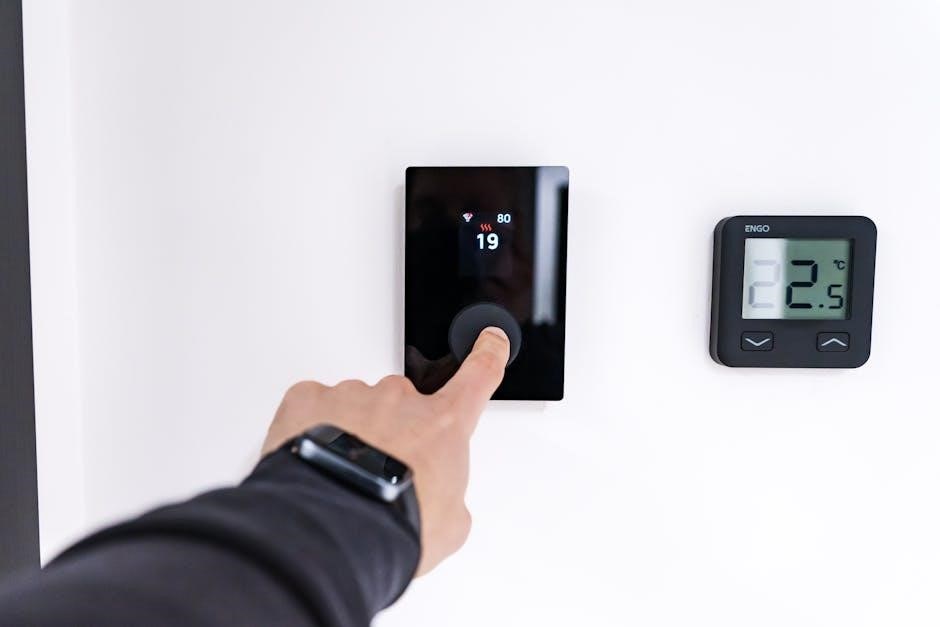
Experiencing problems with your ADT thermostat’s display? A common fix is to simply wake the system by pressing any key. If the screen remains blank or displays garbled information, first try a soft reset by briefly removing the thermostat faceplate from its base and reattaching it. Ensure the faceplate is securely connected.
If a soft reset doesn’t work, check the thermostat’s power source – a loose connection could be the culprit. For persistent display issues, consult the online manuals or FAQs for specific troubleshooting steps related to your ADC-T2000 model. Contact ADT customer support for further assistance if the problem persists after these attempts.
Resources and Support
Need further assistance with your ADT Smart Thermostat? ADT provides comprehensive support options to ensure a seamless experience. For immediate help, contact ADT Customer Support directly at 1-888-211-8563. Explore the wealth of information available through online manuals and frequently asked questions (FAQs) on the ADT website, offering solutions to common issues.
Visual learners will benefit from the YouTube video tutorials demonstrating installation, configuration, and troubleshooting techniques. Stay connected with ADT through their official Facebook and Twitter channels for updates and community support. These resources empower you to maximize your thermostat’s functionality and resolve any challenges efficiently.
ADT Customer Support Contact Information
For dedicated assistance with your ADT Smart Thermostat, reaching out to ADT’s customer support team is straightforward. You can connect with a knowledgeable representative by calling their toll-free number: 1-888-211-8563. This direct line provides immediate access to expert guidance for troubleshooting, installation questions, or any concerns regarding your device’s operation.
Beyond phone support, ADT encourages users to engage with them on social media platforms like Facebook (http://www.facebook.com/adt) and Twitter (http://www.twitter.com/adt) for quick updates and community-based assistance. These channels offer additional avenues for support and information regarding your smart thermostat system.
Online Manuals and FAQs
ADT provides a wealth of self-service resources to assist you with your smart thermostat. Comprehensive user manuals are readily available online, offering detailed instructions for installation, programming, and troubleshooting. These digital guides cover all aspects of your ADC-T2000, ensuring you have the information needed at your fingertips.
Furthermore, ADT maintains an extensive Frequently Asked Questions (FAQs) section on their website. This resource addresses common issues and provides quick solutions to frequently encountered problems. Exploring the FAQs can often resolve minor concerns without requiring direct contact with customer support, saving you valuable time. Access these resources for efficient problem-solving!
YouTube Video Tutorials
Visual learners will benefit from ADT’s extensive library of YouTube video tutorials dedicated to the smart thermostat. These videos offer step-by-step guidance on everything from initial setup and Wi-Fi connection to advanced configuration options like geofencing and scheduling. Several tutorials specifically address the ADC-T2000 and Brinks Home Smart Thermostat installation processes.
You’ll find demonstrations of navigating the thermostat’s interface, understanding different system modes (Heat, Cool, Auto, Off), and resolving common issues like connectivity problems or incorrect temperature readings. These videos provide a clear, concise, and practical approach to mastering your ADT thermostat, enhancing your overall smart home experience.