The Nikon D3100 is a digital SLR camera designed for beginners, offering a user-friendly experience and excellent image quality.
This manual will guide you through its features, helping you unlock its full potential and capture stunning photographs.
It’s a gateway to creative photography, providing a solid foundation for learning and growth.
What is the Nikon D3100?
The Nikon D3100 is a 14.2-megapixel DSLR camera released in 2010, designed as an entry point into the world of digital photography. It’s a popular choice for beginners due to its affordability, ease of use, and impressive image quality. This camera bridges the gap between simple point-and-shoot cameras and more complex professional DSLRs.
Essentially, the D3100 allows for interchangeable lenses, offering versatility and the ability to adapt to various shooting scenarios. The camera’s manual provides comprehensive instructions for navigating its features, from basic operation to more advanced settings. It’s a robust and reliable camera, capable of producing high-resolution images and 1080p Full HD video. The included manual is a crucial resource for understanding its capabilities and maximizing your photographic potential, ensuring a smooth learning curve for new users.
Key Features and Specifications
The Nikon D3100 boasts a 14.2-megapixel DX-format CMOS sensor, delivering detailed and vibrant images. It features 11-point autofocus for accurate subject tracking and a 3.0-inch LCD screen for clear image review; Video recording is supported in Full HD 1080p at 24fps, offering a step up from standard definition.
Key specifications include an ISO range of 100-3200 (expandable to 12800), allowing for shooting in low-light conditions. The camera utilizes Nikon’s EXPEED 2 image processing engine for enhanced image quality and faster performance. The manual details its compatibility with Nikon DX-format lenses. It also features built-in flash and various scene modes for simplified shooting. Understanding these features, as outlined in the manual, is essential for unlocking the camera’s full potential and achieving optimal results.
Target Audience: Beginner Photographers
The Nikon D3100 is specifically designed with the beginner photographer in mind. Its intuitive controls and guided mode simplify the learning process, making it easy to transition from smartphone photography to a dedicated DSLR. The manual emphasizes user-friendliness, offering clear explanations of camera functions and photographic principles.
This camera is ideal for individuals wanting to explore photography as a hobby, learn about aperture and shutter speed, and gain control over their images. The scene modes provide instant optimization for various shooting situations, while the auto mode offers point-and-shoot simplicity. The manual serves as a valuable resource, guiding new users through each step, fostering confidence and creativity. It’s a perfect starting point for anyone eager to delve into the world of digital photography.
Getting Started: Initial Setup
Begin your journey with the Nikon D3100 by carefully unpacking all components. Ensure you charge the battery and insert a compatible SD memory card before powering on.
Unboxing and Component Overview
Upon opening the box, you’ll find the Nikon D3100 camera body itself, carefully packaged to ensure safe delivery. Alongside the camera, locate the included battery and battery charger – essential for powering your photographic adventures. A neck strap is provided for comfortable carrying, allowing you to keep the camera readily accessible.
The kit also includes a comprehensive user manual, serving as your primary guide to understanding the camera’s features and functions. You’ll also discover various documentation, including warranty information and safety precautions. Importantly, the box contains the necessary cables for connecting the camera to a computer, facilitating image transfer and potential software updates. Finally, verify the presence of the installation CD, containing Nikon software for image editing and organization. Inspect all components for any signs of damage before proceeding.
Battery Charging and Installation
Before first use, fully charge the supplied EN-EL9a battery. Connect the battery charger to a standard wall outlet and insert the battery, ensuring correct polarity. The charger’s indicator light will illuminate, typically red during charging and green when complete. A full charge usually takes approximately 2-3 hours.
Once charged, locate the battery compartment on the bottom of the camera. Slide the battery release latch to unlock and open the compartment. Insert the battery, aligning the contacts correctly, and gently push it into place until it clicks. Secure the battery by sliding the release latch back to its locked position. The camera will power on automatically once the battery is correctly installed. Always use the provided Nikon charger to avoid damaging the battery.
Inserting the SD Memory Card
The Nikon D3100 utilizes SD (Secure Digital) memory cards for storing photos and videos. Locate the SD card slot on the camera’s side, typically covered by a protective door. Gently open the door. Insert an SD card, ensuring the label faces upwards and the card clicks securely into place. Do not force the card!
To remove the card, gently push it inwards until it clicks, then release the card. The card will spring slightly outwards, allowing you to carefully pull it out. Avoid touching the gold contacts on the card. It’s recommended to use a high-speed SD card (Class 10 or UHS-I) for optimal performance, especially when shooting high-resolution images or videos. Formatting the card within the camera is also advised for best compatibility.
Understanding the Camera Body & Controls
The Nikon D3100’s body houses essential controls for shooting. Familiarizing yourself with the front, rear, and top panel buttons and dials is crucial for efficient operation and creative control.
Front Panel Controls Explained
The Nikon D3100’s front panel features several key controls. The lens release button allows for quick lens changes, while the depth-of-field preview button simulates the aperture’s effect on focus. The AF-assist illuminator aids autofocus in low-light conditions, ensuring sharp images even when lighting is less than ideal.
You’ll also find the function (Fn) button, which can be customized to access frequently used settings. The self-timer/mirror-up button initiates a timed shutter release or mirror lock-up for sharper images when using a tripod. Understanding these controls is fundamental to mastering manual operation and achieving desired photographic results.
Carefully reviewing the manual’s diagrams will help you quickly identify and utilize each function, enhancing your overall shooting experience and allowing for greater creative control over your images. These controls are designed for intuitive access, streamlining your workflow.
Rear Panel Controls Explained
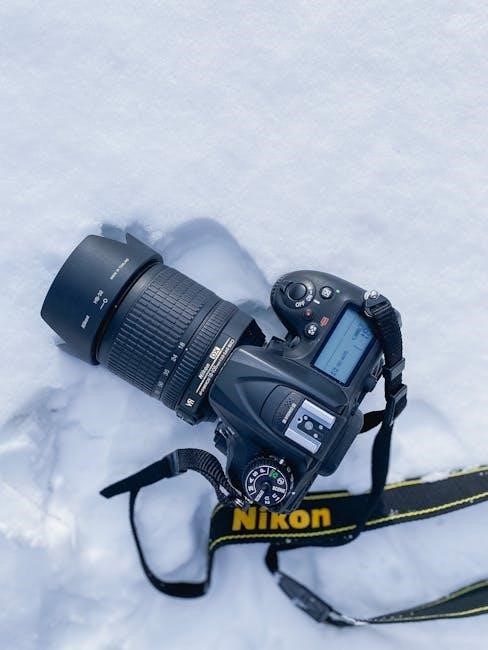
The Nikon D3100’s rear panel is central to navigating the camera’s functions. The prominent LCD screen displays images and menu options. The directional pad allows for menu navigation and focus point selection. Adjacent to the screen, you’ll find buttons for playback (image review) and info, displaying shooting settings.
The menu button accesses the camera’s comprehensive settings. The ‘i’ button provides quick access to frequently used settings. The Live View button activates Live View shooting, enabling composition on the LCD. The delete button removes unwanted images.
Familiarizing yourself with these controls is crucial for efficient operation. The manual provides detailed explanations and diagrams, ensuring you can confidently adjust settings and review your photographs. Mastering these controls unlocks the full potential of the D3100.
Top Panel Controls Explained
The Nikon D3100’s top panel houses essential controls for shooting; The mode dial selects shooting modes – Auto, Scene, Program, and more – dictating the level of camera control. The shutter button initiates image capture, with half-press for focus and full-press to shoot.
The on/off switch, combined with the shutter button, powers the camera. Nearby, the control dial adjusts settings like aperture and shutter speed in manual modes. The pop-up flash button releases the built-in flash.
Understanding these controls is vital for immediate adjustments during shooting. The manual details each function, offering clear guidance. Efficiently utilizing the top panel allows for quick responses to changing conditions, ensuring you never miss a photographic opportunity. Familiarity breeds confidence and creative control.
Shooting Modes: A Comprehensive Guide
The Nikon D3100 offers diverse shooting modes, from fully automatic simplicity to manual control, empowering photographers of all levels to achieve desired results.
Auto Mode: Point-and-Shoot Simplicity
Auto mode on the Nikon D3100 is designed for ultimate ease of use, perfect for beginners or situations demanding quick, hassle-free shooting. In this mode, the camera intelligently handles all settings – aperture, shutter speed, ISO, and white balance – automatically analyzing the scene and optimizing for the best possible exposure.
Simply point the camera at your subject, half-press the shutter button to focus, and fully press to capture the image. It’s truly a “point-and-shoot” experience, eliminating the need to understand complex photographic principles. While offering convenience, Auto mode is surprisingly capable, delivering excellent results in a wide range of lighting conditions.
However, remember that relinquishing control means limited creative input. For more artistic expression, exploring other shooting modes is recommended, but Auto mode provides a fantastic starting point for learning and capturing everyday moments effortlessly.
Scene Modes: Optimizing for Specific Situations
Scene modes on the Nikon D3100 offer a step up from full Auto, providing pre-configured settings tailored to common shooting scenarios. These modes optimize camera parameters for specific subjects like portraits, landscapes, close-ups, sports, and night scenes, ensuring better results with minimal effort.
Selecting the appropriate scene mode instructs the camera to prioritize certain settings. For example, ‘Portrait’ mode utilizes a wider aperture to blur the background, emphasizing the subject. ‘Landscape’ mode favors sharpness and depth of field, capturing expansive views. ‘Sports’ mode employs a faster shutter speed to freeze motion.
While not offering complete manual control, scene modes provide a valuable balance between convenience and creative influence, allowing you to achieve more specialized results than Auto mode alone. Experimenting with these modes is a great way to learn how different settings affect your images.
Program Mode (P): Semi-Automatic Control
Program (P) mode on the Nikon D3100 represents a significant step towards manual control, offering a balance between automation and user input. In P mode, the camera automatically selects the shutter speed and aperture for optimal exposure, but allows you to adjust ISO sensitivity, white balance, and other settings.
This mode is ideal for situations where you want more control than Auto or Scene modes, but don’t want to fully commit to manual settings. You can use Program Shift to subtly adjust the combination of aperture and shutter speed, influencing depth of field or motion blur.
P mode provides a fantastic learning environment, allowing you to observe how the camera responds to your adjustments and understand the relationship between aperture, shutter speed, and exposure. It’s a versatile mode for a wide range of photographic situations.
Focusing and Exposure
Achieving sharp images relies on mastering focus modes and understanding exposure principles. The Nikon D3100 offers autofocus options and exposure compensation for optimal results.
Autofocus Modes: Single, Continuous, and Auto
The Nikon D3100 provides three primary autofocus (AF) modes to suit various shooting scenarios. Single-servo AF (AF-S) is ideal for stationary subjects; the camera focuses once when you half-press the shutter button, and remains locked until you release it. This is perfect for portraits or landscapes where the subject isn’t moving.
Continuous-servo AF (AF-C), conversely, tracks moving subjects, continuously adjusting focus as they change distance. This mode is essential for action photography, like sports or wildlife. The camera predicts the subject’s movement to maintain sharpness.
Auto-servo AF (AF-A) lets the camera automatically select between AF-S and AF-C, attempting to determine the subject’s motion. While convenient, it’s less predictable than manually choosing the appropriate mode. Understanding these distinctions empowers you to capture consistently sharp images, regardless of the subject’s behavior.
Focus Points: Selection and Usage
The Nikon D3100 features 11 autofocus (AF) points, strategically positioned across the frame. These points allow you to precisely select where the camera focuses. You can choose to let the camera automatically select an AF point (Auto-area AF), or manually select one using the directional pad.
Single-point AF offers the most control, letting you pinpoint the exact area for focus. This is crucial for subjects requiring precise sharpness, like a portrait’s eye. Dynamic-area AF uses the selected point, but also considers surrounding points for tracking moving subjects.
Understanding how to shift and select these focus points is vital for achieving sharp images. Experiment with different point selections to master focusing on specific elements within your composition, ensuring your intended subject is always tack-sharp.
Exposure Compensation: Brightness Adjustment
Exposure compensation on the Nikon D3100 allows you to fine-tune the overall brightness of your images. The camera’s meter aims for a neutral exposure, but sometimes scenes are brighter or darker than average. This feature overrides the camera’s automatic settings, letting you brighten or darken the image.
Measured in EV (Exposure Value) steps, the D3100 offers a range of +/-5 EV. Positive values brighten the image, useful for dark subjects like snow or shadows. Negative values darken the image, ideal for bright scenes like beaches or snow.
Using exposure compensation is crucial for preventing underexposed (too dark) or overexposed (too bright) photos. It’s a simple yet powerful tool for achieving well-balanced and visually appealing results, especially in challenging lighting conditions.
Image Quality and Settings
The Nikon D3100 offers diverse image quality settings, including size, compression, and white balance. These options directly impact file size and color accuracy, influencing your final results.
Image Size and Quality Options
The Nikon D3100 provides a range of image size and quality settings to balance file size and detail. You can choose from Large, Medium, and Small image sizes, each offering different resolutions suitable for various purposes.
For quality, options include Fine, Normal, and Basic. Fine captures the most detail and produces the largest file sizes, ideal for printing or extensive editing. Normal offers a good balance between quality and file size, suitable for everyday photography. Basic creates smaller files, perfect for sharing online or when storage space is limited.
Understanding these options is crucial for optimizing your camera for specific shooting scenarios. Higher resolutions and quality settings demand more memory card space, so consider your needs before making a selection. Experimenting with different settings will help you find the perfect balance for your photographic style and intended use of the images.
White Balance: Achieving Accurate Colors
White balance is crucial for ensuring accurate color representation in your photos. Different light sources emit varying color temperatures, which can affect how colors appear in your images. The Nikon D3100 offers several white balance presets, including Auto, Incandescent, Fluorescent, Direct Sunlight, Flash, Cloudy, and Shade.
Auto White Balance (AWB) is convenient for general shooting, but it may not always be accurate. For more precise control, select the preset that matches your lighting conditions. You can also use Custom White Balance to manually set the white balance by pointing the camera at a white or gray card.

Incorrect white balance can result in color casts, making your photos look too warm (yellowish) or too cool (bluish). Mastering white balance allows you to capture colors as they truly are, enhancing the overall quality and realism of your images.
ISO Sensitivity: Managing Noise in Low Light
ISO sensitivity determines your camera’s sensitivity to light. A lower ISO setting (e.g., ISO 100) requires more light but produces cleaner images with less noise. A higher ISO setting (e.g., ISO 3200) allows you to shoot in darker conditions, but it introduces more digital noise, which appears as graininess in your photos.
The Nikon D3100 offers an ISO range of 100-3200. When shooting in bright light, use a low ISO setting for optimal image quality. As the light diminishes, increase the ISO to maintain a proper exposure. Be mindful of the trade-off between brightness and noise.
Experiment with different ISO settings to find the sweet spot between brightness and acceptable noise levels. Utilizing a tripod can help reduce the need for high ISO settings in low-light situations, ensuring sharper, cleaner images.
Navigating the Menu System
The D3100’s menu is logically structured for easy customization. Explore settings for image quality, autofocus, and flash functions to tailor the camera to your preferences.
Understanding the Menu Structure
The Nikon D3100’s menu system is organized into several tabs, each representing a different category of settings. These include the Setup menu for basic camera operations like date/time and language, the Shooting menu for controlling image capture settings, and the Custom Settings menu for more advanced personalization.
Within each menu, options are presented in a clear, hierarchical structure. Use the multi-selector and the OK button to navigate and select options. The LCD screen displays detailed explanations of each setting, aiding understanding. Pay attention to the icons accompanying each option, as they provide visual cues to their function.
Remember that changes made in the menu are generally saved automatically. However, it’s always a good practice to review your settings periodically to ensure they align with your shooting intentions. Familiarizing yourself with this structure is key to unlocking the full potential of your D3100.
Customizing Camera Settings
The Nikon D3100 allows extensive customization to tailor the camera to your shooting style. Within the Custom Settings menu, you can personalize functions like button assignments, autofocus behavior, and image quality settings. Adjusting the ‘Info’ display allows you to choose what information appears on the LCD screen during shooting.
You can create and save custom picture control profiles to achieve specific color and contrast looks. Fine-tuning the autofocus settings, such as AF-C tracking sensitivity, can improve subject tracking performance. Don’t forget to explore the options for customizing the camera’s beep sounds and display brightness.
Experiment with these settings to find what works best for you; Remember to document your changes, and consider resetting to factory defaults if you become lost or want to start fresh.
Resetting to Factory Defaults
Occasionally, after extensive customization of your Nikon D3100, you might find the camera behaving unexpectedly or simply wish to revert to its original settings. The ‘Reset to Factory Defaults’ option within the Setup menu provides a straightforward solution. This process erases all custom settings, returning the camera to the state it was in when you first purchased it.
Before resetting, it’s wise to note any particularly important custom settings you’ve made, as they will be lost. The reset process doesn’t affect images or videos stored on your SD card. Access the Setup menu, navigate to ‘Reset,’ and then select ‘Factory Defaults.’ Confirm your choice, and the camera will restart with its original configuration.
This is a useful troubleshooting step and a clean slate for new explorations of the camera’s features.
Advanced Features & Techniques
Explore Live View for precise composition, master the built-in flash for creative lighting, and understand depth of field to enhance your photographic storytelling.
Live View Shooting: Composition and Focus
Live View on the Nikon D3100 allows you to compose and review your images using the camera’s LCD screen, rather than the optical viewfinder. This is particularly useful for precise composition, especially in challenging situations where holding the camera to your eye is difficult.
To activate Live View, simply switch to the Live View mode on the camera’s mode dial. Once engaged, you can utilize the LCD screen to carefully frame your shot. The D3100 offers various focusing methods within Live View, including autofocus and manual focus. Autofocus can be achieved by pressing the shutter button halfway down, or by using the AF-ON button if assigned in the custom settings.
Furthermore, Live View enables you to zoom in on the image to verify critical focus, ensuring sharpness where it matters most. This feature is invaluable for macro photography or when precise focusing is essential. Experiment with Live View to unlock a new level of control and precision in your photography.
Using the Built-in Flash
The Nikon D3100 features a built-in flash, a convenient tool for illuminating scenes in low-light conditions or adding fill-light to overcome harsh shadows. To activate the flash, press the flash button located on the camera’s hot shoe until the flash icon appears in the viewfinder or on the LCD screen in Live View mode.
The D3100 offers several flash modes, including Auto, Auto with Red-Eye Reduction, Fill-Flash, Slow Sync, and Off. Auto mode lets the camera determine when flash is needed, while Fill-Flash provides a burst of light regardless of ambient brightness. Slow Sync combines flash with a slower shutter speed, useful for balancing flash illumination with background detail.
Remember that the built-in flash has a limited range and can sometimes produce harsh lighting. Experiment with different flash modes and consider using a diffuser to soften the light for more pleasing results.
Understanding Depth of Field
Depth of field (DoF) refers to the portion of your image that appears acceptably sharp. It’s a crucial element in photography, influencing how your subject stands out and how the background appears. The Nikon D3100 allows you to control DoF through aperture settings.
A wider aperture (smaller f-number, like f/2.8) creates a shallow DoF, blurring the background and isolating your subject – ideal for portraits. Conversely, a narrower aperture (larger f-number, like f/16) yields a greater DoF, keeping more of the scene in focus – perfect for landscapes.
Other factors affecting DoF include focal length and the distance to your subject. Longer focal lengths and closer subject distances result in shallower DoF. Mastering DoF allows you to creatively control the visual impact of your images, drawing the viewer’s eye to what matters most.